Search Escambia property records, read parcel values and avoid tax-bill mistakes
Use this guide as a practical task desk for Pensacola and Escambia County property search, parcel ID lookup, GIS maps, homestead filing, TRIM review, VAB appeal preparation, tax bill payment and property fraud alerts.
Start with the exact task
Find a property record
Search by owner, location address, complex, 16-digit Parcel ID or 9-digit Account Number.
Read the parcel card
Save Parcel ID, Account Number, owner, mailing address, assessed value, exemptions and sales.
Check the map
Use GIS for parcel location, zoning, wetlands, dimensions, labels and aerial context.
File homestead
Prepare Florida ID, residency proof, Social Security details and ownership information first.
Pay tax bill
Use the Tax Collector for bills, discounts, escrow copies, receipts and delinquent taxes.
Appeal value
Use TRIM notice plus proof before filing through the Clerk/VAB process.
Task finder: choose the correct official page
Select your issue and this tool gives the right next step, what to prepare and which official page to open.
Select an issue and click the button.
Property search micro-steps
Use these steps when you need a Pensacola or Escambia County owner record, parcel ID, account number, property value, exemption status, map link or sale history.
Property card decoder
| Field | Meaning | Action if wrong or unclear |
|---|---|---|
| 16-digit Parcel ID | Best ID for appraiser, GIS and VAB questions. | Copy exactly from the official record before calling. |
| 9-digit Account Number | Useful for tax bill and record matching. | Keep it with payment and Tax Collector notes. |
| Owner name | Owner shown in the appraiser record. | Check Clerk official records for deed or ownership changes. |
| Mailing address | Address used for notices and tax-related mail. | Use ESCPA change-of-mailing-address process. |
| Location address | Physical property address for search and map match. | Compare with GIS map and legal description. |
| Assessed value | Value after caps or assessment limits may apply. | Compare with market value and exemptions. |
| Exemption section | Shows homestead or other applied benefits. | Check application proof and deadline before VAB. |
| Sale history | Shows transfers and sale details when available. | Do not treat every transfer as a normal market sale. |
Value decoder: which number matters?
Market value
Appraiser’s estimate of property value. Start here for value review.
Assessed value
Value after Save Our Homes or other assessment limits may apply.
Exemptions
Approved benefits that reduce taxable value.
Taxable value
Value used by taxing authorities after exemptions.
| What you notice | Likely meaning | Best action |
|---|---|---|
| Assessed value is lower than market value | Assessment caps or homestead-related benefits may apply. | Check exemption and Save Our Homes status before changing title. |
| Taxable value increased | Exemption changed, ownership changed or cap reset may apply. | Compare prior year, exemption section and TRIM notice. |
| Tax bill is higher than expected | Tax bill may include millage, non-ad valorem or delinquency items. | Check Tax Collector bill, not only appraiser value. |
| Sale amount looks strange | Transfer may not be a normal market sale. | Check Clerk records and sale type before using it as a comparable. |
Fix common Escambia search problems
| Problem | Likely cause | Fix |
|---|---|---|
| Address search fails | Too much address text or wrong street suffix. | Use only number and street name, then try Parcel ID. |
| Owner search returns many records | Common name, company name or trust name. | Compare mailing address, location address and parcel/account. |
| Property map looks wrong | Layer, address, subdivision or parcel boundary misunderstanding. | Use map for research only; verify boundaries separately. |
| Homestead missing | Application not filed, documents missing, deadline issue or status problem. | Check application proof and call homestead assistance. |
| Tax bill does not match appraiser value | Tax Collector bill includes millage, discounts, penalties or other charges. | Open Tax Collector bill and check tax year/payment status. |
| Deed or fraud alert issue | Recorded document handled by Clerk, not Property Appraiser. | Use Clerk official records or Property Fraud Alert. |
GIS map checklist
Homestead exemption checklist
Permanent residence
The Escambia property should be your permanent residence, not a rental or second home.
Deadline
Florida homestead filing is normally tied to March 1; calendar shifts can move the working deadline.
Online help
Escambia homestead online help is listed as 850-434-2735 Ext. 177.
Prepare before opening the online application
- Florida driver license or Florida ID showing the property address.
- Florida vehicle registration if applicable.
- Voter registration if applicable.
- Social Security number for each applicant if required.
- Ownership details, deed or closing information.
- Proof you are not claiming a conflicting residency-based exemption elsewhere.
- Parcel ID or Account Number from the property record.
- Application confirmation and uploaded document proof after filing.
Tax bill, discounts and escrow routing
Property Appraiser handles
Value, exemption, parcel details, owner record, map and TRIM notice.
Tax Collector handles
Bill, payment, receipt, discounts, delinquent tax and escrow copy.
| Month | Tax rule | User action |
|---|---|---|
| November | Tax statements normally mail around November 1; 4% discount. | Check bill early and confirm escrow status. |
| December | 3% discount. | Confirm amount and save receipt. |
| January | 2% discount. | Avoid duplicate payment if mortgage company pays. |
| February | 1% discount. | Do not wait if bill or escrow is unclear. |
| March | Gross amount due. | Pay before delinquency if not paid. |
| April 1 | Taxes become delinquent and penalty starts. | Contact Tax Collector quickly if unpaid. |
TRIM and VAB evidence checklist
| Issue | Helpful proof | Best next step |
|---|---|---|
| Market value too high | Comparable sales, photos, appraisal, repair estimates. | Ask ESCPA for review; file VAB before deadline if unresolved. |
| Homestead missing | Application proof, Florida ID, residency proof, confirmation number. | Check exemption status and contact ESCPA. |
| Building details wrong | Photos, permit record, floor plan, survey, inspection notes. | Request record review or correction. |
| Classification problem | Use records, agricultural proof, business documents, zoning records. | Contact ESCPA and review petition type. |
Property fraud alert and deed checks
Property Appraiser records show parcel and ownership information, but deed, mortgage, lien and land-record alerts are handled by the Clerk. The Escambia Clerk Property Fraud Alert emails subscribers when a deed, mortgage or other land record with their registered name is recorded.
Scenario checklist
New buyer
Check owner, Parcel ID, Account Number, sales, GIS, current taxes, exemptions, flood/wetland context and Clerk records.
Current homeowner
Check mailing address, homestead status, TRIM notice, taxable value, tax bill and fraud alert.
Rental owner
Check exemption risk, tax bill, tangible property rules if business-related, and mailing address accuracy.
Waterfront or vacant land
Use GIS, wetlands, zoning, flood, parcel dimensions, Clerk records and survey/title review.
Appeal user
Collect TRIM notice, record screenshots, comparable sales, photos, repair estimates and petition details.
LLC or company owner search
Compare exact company name, mailing address, parcel/account and Clerk records before relying on the result.
Helpful video
This VAB-related video can help users understand the general online petition process. Use Escambia Clerk and ESCPA pages for county-specific deadlines, petition portal and official instructions.
Escambia property timeline
Contacts and map
| Office | Contact | Use for |
|---|---|---|
| Escambia County Property Appraiser Main Office | 221 Palafox Place, Suite 300, Pensacola, FL 32502-5836 Phone: 850-434-2735 Hours: Mon-Fri 8:00 AM to 5:00 PM | Property records, values, exemptions, maps, parcel details and TRIM questions. |
| Molino Branch | 6440 Highway 95A North, Suite B, Molino, FL 32577-9308 Phone: 850-434-2735 Hours: Mon-Fri 8:00 AM to 4:30 PM | North Escambia local property help. |
| Homestead Online Help | 850-434-2735 Ext. 177 | Online exemption application assistance. |
| Escambia Tax Collector | P.O. Box 1312, Pensacola, FL 32591-1312 Phone: 850-438-6500 Email: ectc@EscambiaTaxCollector.com | Tax bill, payment, receipt, discount, delinquent taxes and escrow questions. |
| Escambia Clerk Official Records | 221 Palafox Place, Suite 110, Pensacola, FL 32502 Phone: 850-595-3930 | Deeds, mortgages, liens, official records and fraud alerts. |
| Value Adjustment Board Clerk | 221 Palafox Place, Suite 110, Pensacola, FL 32502-5843 Phone: 850-595-3920 | VAB petition filing information. |
Call or email script generator
Use this before contacting ESCPA, the Tax Collector, Clerk or VAB office.
Escambia County Property Appraiser FAQs
How do I search Escambia County property records?
Open the official ESCPA Real Estate Record Search and search by owner name, location address, complex name, 16-digit Parcel ID or 9-digit Account Number.
What is the best way to search by address?
Use a broad “Like” style search and enter only the address number plus street name first. Avoid full street type, punctuation and unit number until needed.
Who is the Escambia County Property Appraiser?
The Escambia County Property Appraiser office is led by Gary “Bubba” Peters and provides property record, valuation, exemption and map services.
Where is the Escambia County Property Appraiser office?
The main office is at 221 Palafox Place, Suite 300, Pensacola, FL 32502-5836. The Molino branch is at 6440 Highway 95A North, Suite B, Molino, FL 32577-9308.
What is the Escambia County Property Appraiser phone number?
The main phone number is 850-434-2735. Homestead online help is listed at 850-434-2735 Ext. 177.
Where do I file homestead exemption online?
Use ESCPA Homestead Online. Create an account, prepare Florida residency documents and submit the application before the official deadline.
Where do I pay Escambia County property taxes?
Use the Escambia County Tax Collector website for current taxes, payment options, receipts, delinquent tax information and property tax records.
When do Escambia property taxes become delinquent?
The Tax Collector explains that property taxes become delinquent April 1 each year. Discounts normally apply from November through February, with gross amount due in March.
Can I use the ESCPA map as a legal survey?
No. Use the map for research only. For legal boundary, fence, easement, title, setback or construction questions, use a surveyor or official documents.
How do I file an Escambia VAB petition?
Use the Escambia Clerk Value Adjustment Board information page and current petition portal. Prepare your TRIM notice, parcel or account details, evidence, filing fee and save your transaction details.
Official Escambia County property sources
Use official pages for final submission, current forms, changing deadlines, fees and office updates.
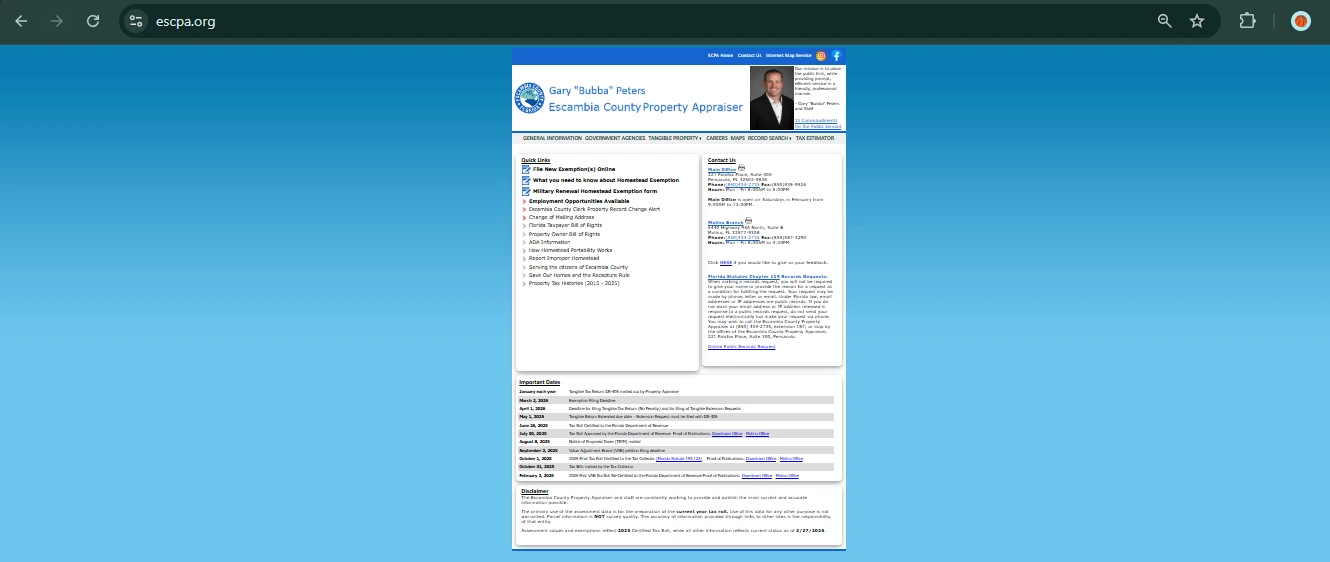
Property Appraiser Home: Escambia County Property Appraiser
Real Estate Search: ESCPA Record Search
GIS Map: ESCPA Internet Map Service
Homestead Online: ESCPA Homestead Online
Change Mailing Address: ESCPA Contact / Mailing Address Help
Tax Collector Current Taxes: Current Taxes
Search & Pay Taxes: Escambia Property Tax Search & Pay
Payment Policy: Tax Collector Payment Policy
VAB Information: Escambia Clerk VAB Information
Property Fraud Alert: Escambia Clerk Property Fraud Alert
Editorial verification note: official sources reviewed on July 7, 2026. This guide is informational and does not replace official Escambia County instructions, legal advice, appraisal advice, survey advice, tax advice or VAB filing guidance.